
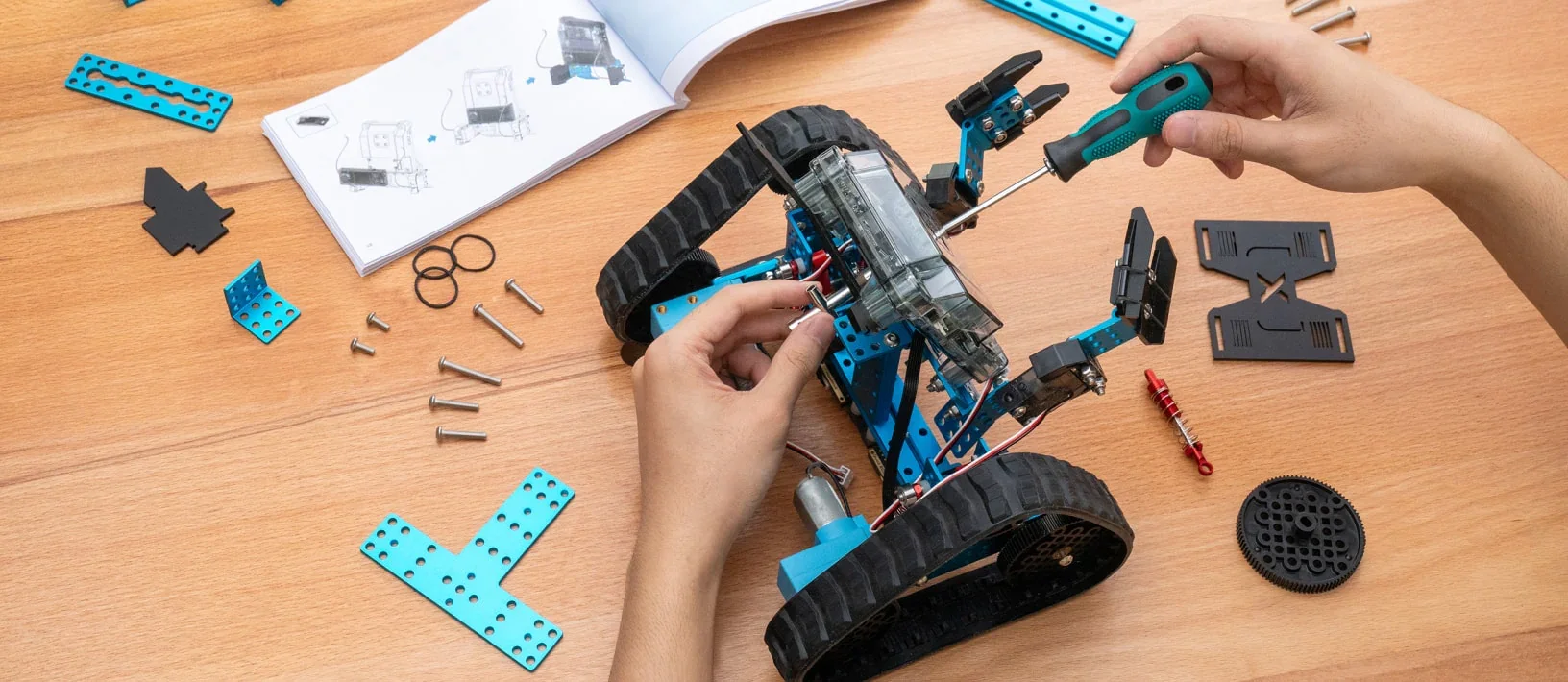
The best robotics kit for a kid is the one built for her age, not the one with the biggest box. I get asked for recommendations every November, usually by a parent who watched their child light up at a showcase and wants to keep it going at home over the holidays. I have taught kids, led schools, and now run coding and robotics classes for 2,500+ kids across the Portland metro, and we have put a lot of kits in front of a lot of children. Here is how we choose what goes in our classrooms, and how I would choose for my own kids at home.
Start with the age, not the kit
Robotics kits fail at home for one reason more than any other: the kit was built for a different age than the kid. A 6-year-old handed a kit that needs a tablet and a hundred-page build guide will be frustrated in twenty minutes and the box will live in a closet. A 10-year-old handed a push-button robot for preschoolers will be bored in ten. The right kit meets the child at the skill she is ready to learn next.
In our programs that sequence is deliberate. Preschoolers build with bricks and no robots at all. Kindergarten through grade 2 kids get screen-free coding: tiles and simple robots that follow a physical sequence of commands, so the idea of "give a machine instructions in order" arrives before a screen ever does. Grades 2 to 5 build and program a real robot in pairs, starting with block code and moving toward text-based programming. Grades 4 to 6 build an app on a real device. A home kit should sit in the same lane as the kid's age.
| Age | What to look for | What to avoid |
|---|---|---|
| 3 to 5 | Bricks, gears, things that stack and roll. No robot yet. | Anything with an app |
| 5 to 7 | Screen-free coding: physical command tiles or buttons on the robot itself | Kits that need a tablet to do anything |
| 7 to 10 | A real robot with sensors and block-based coding (drag-and-drop) on a tablet or laptop | Kits with a single fixed build and no way to change the code |
| 10 to 12 | A robot that supports both blocks and a text language (Python or similar), plus building freedom | Toys marketed as "coding" that only play preset routines |
What we use in class, and why
Parents ask what we use, so here it is. In our grades 2 to 5 coding and robotics classes, kids build and program mBot2 robots and work on Chromebooks with block-based code, moving toward text-based programming as the term goes on. Our younger kids build with LEGO bricks and LEGO robotics kits and use screen-free coding tiles. We bring all of it to the school, so families never buy anything for class.
We chose those tools for three reasons that also apply at home. First, the robot has to be rebuildable: kids should be able to take it apart and make something else, because a robot with one fixed build teaches one lesson and then stops. Second, the coding has to grow with the kid: the same robot should run on drag-and-drop blocks in third grade and on text code in fifth. Third, it has to survive a room full of 8-year-olds. A kit that breaks when it falls off a table is not a classroom kit, and it is not a great home kit either.
What I would buy, by age
I am not going to name a dozen products with prices, because prices change and half of them will be discontinued by the time you read this. I will tell you what to look for and give you the kind of kit that fits each stage.
Ages 3 to 5: skip the robot. A large bin of plain bricks, a set of gears that mesh, and a marble run will do more for a preschooler's engineering brain than any robot on the market. Build towers that stand and bridges that hold. Sort by color and pattern. Ask "what could you change?" when it falls. That is exactly what we do in Preschool STEAM, and it is engineering.
Ages 5 to 7: a screen-free coding robot. Look for a small robot that is programmed by pressing arrow buttons on its back or by laying down physical cards or tiles in a sequence. The child plans a path, "writes" it in tiles, runs it and watches the robot get it wrong. Then she fixes the sequence. That loop, plan, run, debug, is the entire foundation of coding, and a 6-year-old can own it without ever touching a tablet.
Ages 7 to 10: a real robot with sensors and block coding. This is where a kit like the mBot2 we use in class earns its keep: a robot with wheels, an ultrasonic sensor, a line follower and lights, programmed with drag-and-drop blocks on a tablet or laptop. The projects that matter here are missions: follow the line, stop before the wall, react to a clap. LEGO's robotics kits fit this stage too, with more building freedom and a higher price. Either way, the question to ask before buying is "can my kid change the program and the build," and the answer needs to be yes to both.
Ages 10 to 12: the same robot, in text. Do not buy a new kit. Buy the upgrade path. A good robot for this age runs the same missions in a text-based language, usually a kid-friendly version of Python, so the move from blocks to typed code happens on a machine the kid already understands. If you bought well at 8, you will not need to buy again at 11.
Three questions to ask before you buy any kit
- Can my kid use it without me? If the setup takes an adult an hour, the kit will get used once. Look at the unboxing videos, not the marketing videos.
- What happens when it stops working? Every robot stops working. The good kits make the failure visible (the robot turns left instead of right) so the kid can reason about it. The bad ones just freeze, and the kid learns nothing except to hand it to a parent.
- What can it become next? A kit with one build and one program is a toy. A kit that can be rebuilt and reprogrammed is a tool. Tools are worth the money. Toys are worth about a week.
The part no kit can do
Here is the honest truth about robotics kits, from someone whose company owns a great many of them. The kit is maybe a quarter of the learning. The rest is the adult who knows how long to wait before helping, the partner who disagrees about which way the robot should turn, and the moment of standing up and explaining to a room what you built and why it did not work the first time. That is what our instructors are trained for, and it is why kids in our classes build robots in pairs and end every term with a showcase.
So if you buy a kit this holiday, buy the one that matches your kid's age, and then do the one thing the kit cannot: when the robot does something unexpected, do not fix it. Ask "what do you think happened?" and wait. You will be amazed at what comes out of a 7-year-old's mouth when you give her ten quiet seconds.
Frequently asked questions
What is the best robotics kit for a 6-year-old?
A screen-free coding robot programmed with physical tiles, cards or buttons on the robot itself. At this age the goal is planning a sequence and fixing it when it fails, not using a tablet.
What robotics kit do you use in Journey to STEAM classes?
Grades 2 to 5 build and program mBot2 robots with block-based code on Chromebooks, moving toward text-based programming. Younger kids use LEGO bricks, LEGO robotics kits and screen-free coding tiles. Everything is provided in class.
Is a LEGO robotics kit worth it?
For ages 7 and up, yes, if your child likes to build as much as code. LEGO robotics kits offer more building freedom than most wheeled robots at a higher price. If your child mainly wants to program missions, a sensor robot like mBot2 does more per dollar.
Do kids need a robotics kit at home to do well in class?
No. Every program provides every material and starts at zero. A kit at home is a nice extension, not a requirement. The free version of Scratch runs in any browser and uses the same block logic we teach.
What age can kids start coding a robot?
Around 5 or 6 with screen-free tiles. Real robots with sensors and block code fit ages 7 to 10, and text-based programming fits ages 10 to 12.
Buy for the kid you have, not the kid on the box. Then ask better questions than the instruction manual does.
With Grace and Gratitude,
Dr. Arielle Hammond, Ed.D.
Ready for the next step?
Dr. Arielle Hammond, Ed.D. is a former school principal and the founder of Journey to STEAM, the Portland metro's principal-founded STEAM enrichment program: LEGO engineering, robotics and coding for ages 3 to 12 at 75+ schools and community sites across four counties. Teach For America alum, principal at 24, Ed.D. from Lewis & Clark. More about Arielle and the team.
